 WA Contact Studio
Real Excel files
Native .xlsx with numbers kept intact - no more 2.5E+11 - plus one sheet per group and a summary sheet.
Pick your groups, filter, and download a clean, de-duplicated contact list in one click. Names, numbers, countries and admin roles - straight from WhatsApp Web, without anything leaving your browser.
Chrome · Edge · Firefox · Opera · Safari on Mac, iPhone & iPad · Firefox & Edge for Android
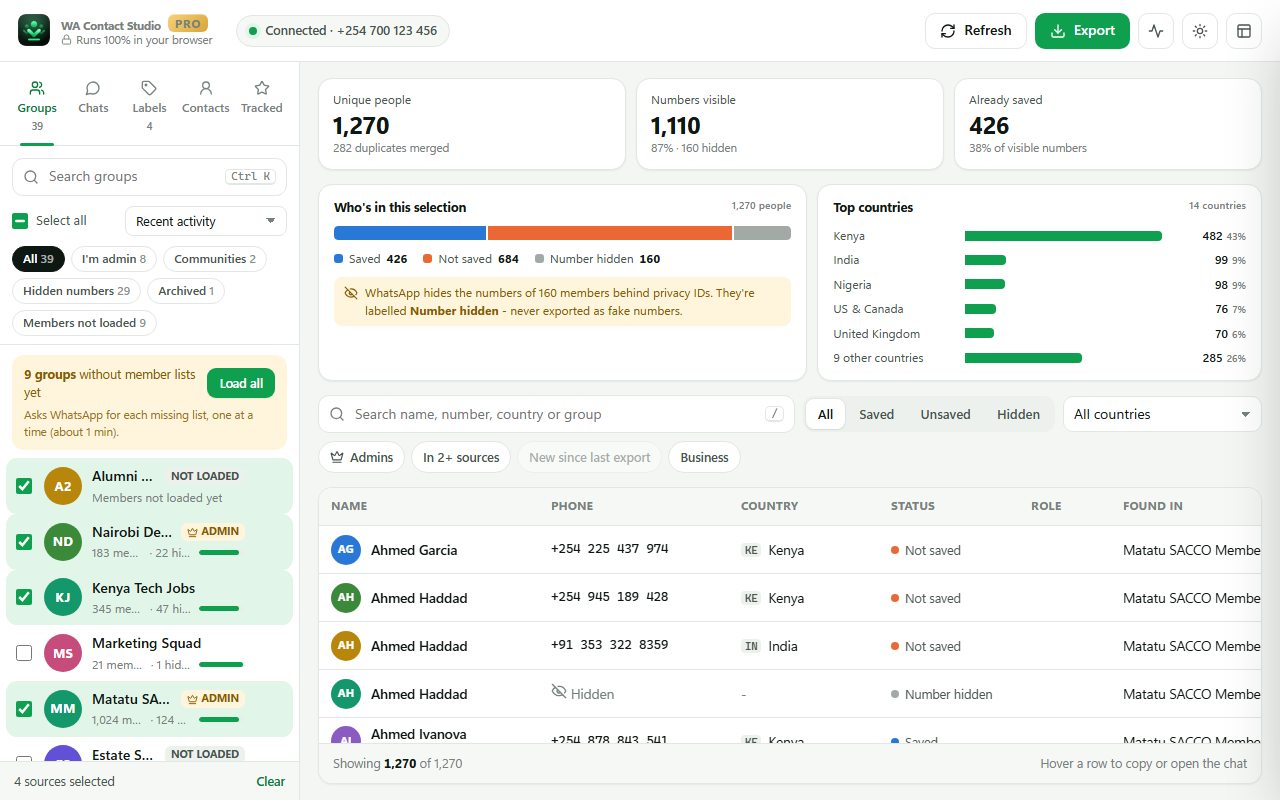
Built for community managers, sales teams, event organisers and anyone who runs groups - and needs the members in a spreadsheet.
Native .xlsx with numbers kept intact - no more 2.5E+11 - plus one sheet per group and a summary sheet.
Select dozens of groups at once. People in several groups appear once, with a "Found in" column.
WhatsApp hides some members behind privacy IDs. We label them clearly instead of exporting fake numbers.
Reads only what WhatsApp Web already keeps in your browser. No account, no servers, no tracking.
Send a list to a Google Sheet and keep updating the same sheet with one click.
Star a group and see who joined or left - with a daily or weekly digest.
Import your CRM or customer list and those numbers are skipped automatically.
Unsaved chats, unread chats, WhatsApp Business labels, saved contacts - not just groups.
Log in at web.whatsapp.com as usual. WA Contact Studio connects to it on its own.
Choose groups, chat lists or labels. Filter by country, admins, saved or unsaved, or people in several groups.
Download Excel, CSV, vCard or JSON - or send it to Google Sheets. Every row is accounted for in a clear breakdown.
Open WA Contact Studio right on top of WhatsApp Web, keep it in the side panel while you chat, or give big exports a full tab.
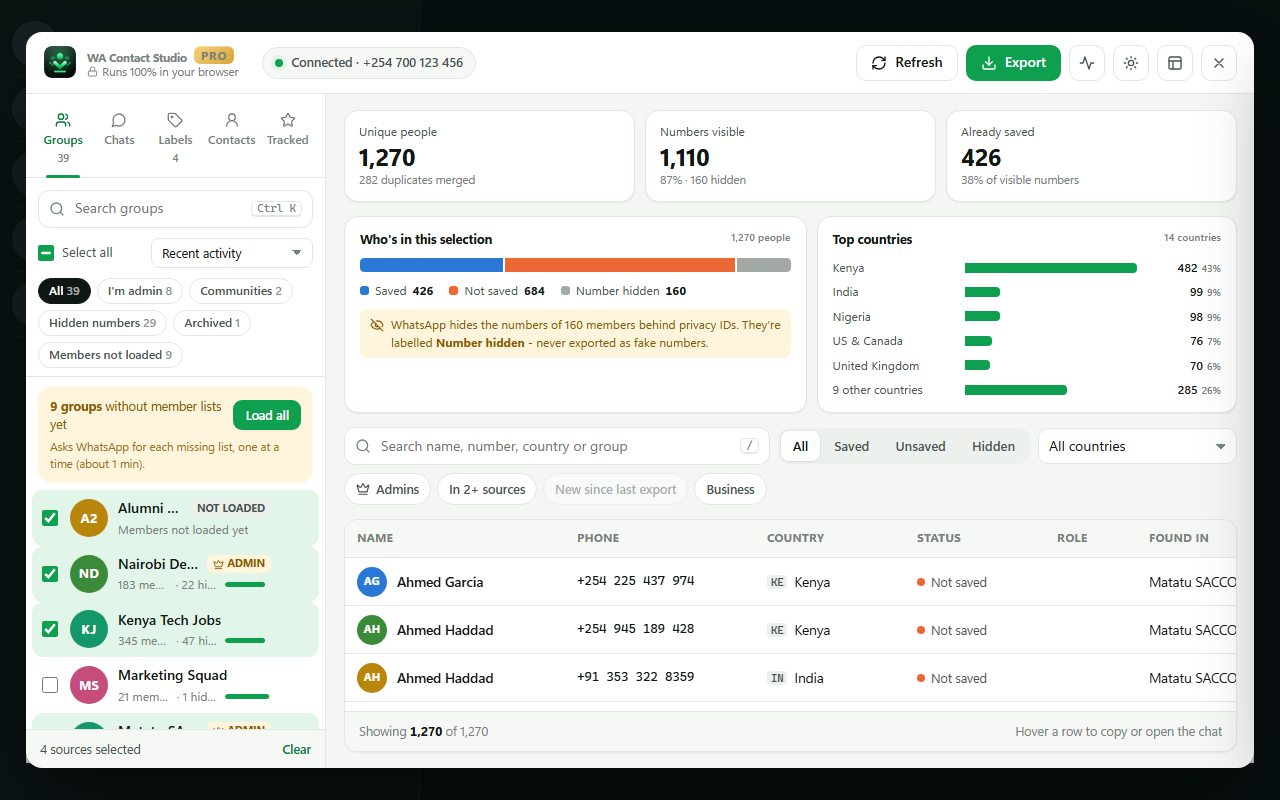
WhatsApp Web only keeps some member lists on your computer. WA Contact Studio lists every group and can fetch the missing lists for you, gently paced.
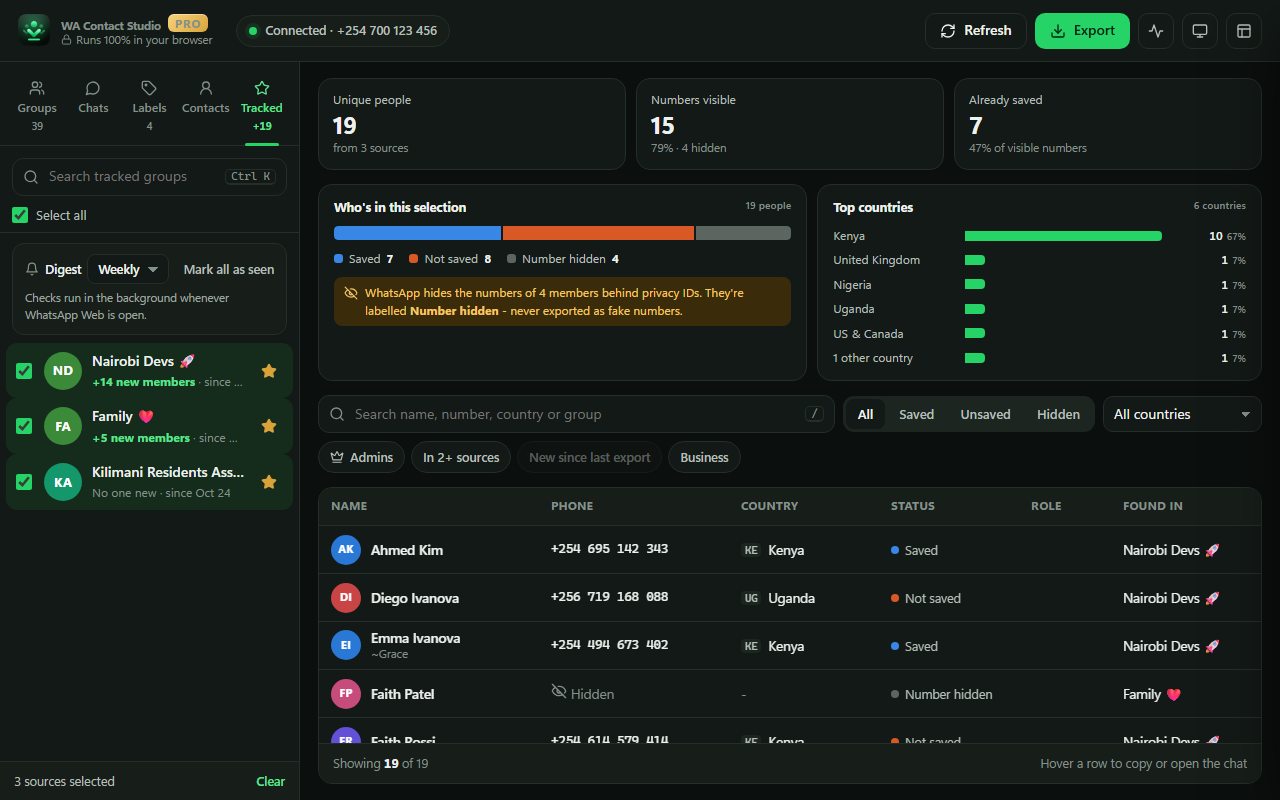
Desktop, laptop and tablet. One extension for Chrome, Edge, Firefox, Opera and Safari - including Safari on iPhone and iPad.
| Browser | Export & filters | Overlay on WhatsApp | Side panel | Google Sheets | Digests |
|---|---|---|---|---|---|
| Desktop & laptop | |||||
| Google Chromealso Brave, Vivaldi, Arc | ✓ | ✓ | ✓ | ✓ | ✓ |
| Microsoft Edge | ✓ | ✓ | ✓ | ✓ | ✓ |
| Firefoxversion 140+ | ✓ | ✓ | ✓ sidebar | ✓ | ✓ |
| Opera | ✓ | ✓ | ✓ | ✓ | ✓ |
| Safari on MacSafari 17+ | ✓ | ✓ | — | — | badge |
| Tablets & phones | |||||
| Safari on iPadiPadOS 17+ | ✓ | ✓ | — | — | badge |
| Safari on iPhoneneeds "Request Desktop Website" | ✓ | ✓ | — | — | badge |
| Firefox for Androidneeds "Desktop site" | ✓ | ✓ | — | — | ✓ |
| Edge for Android, Orion (iOS)where the extension is available | ✓ | ✓ | — | — | varies |
WhatsApp Web is designed for computers and tablets. On phones it only opens with the browser's desktop-site setting, so a tablet or computer gives the best experience.
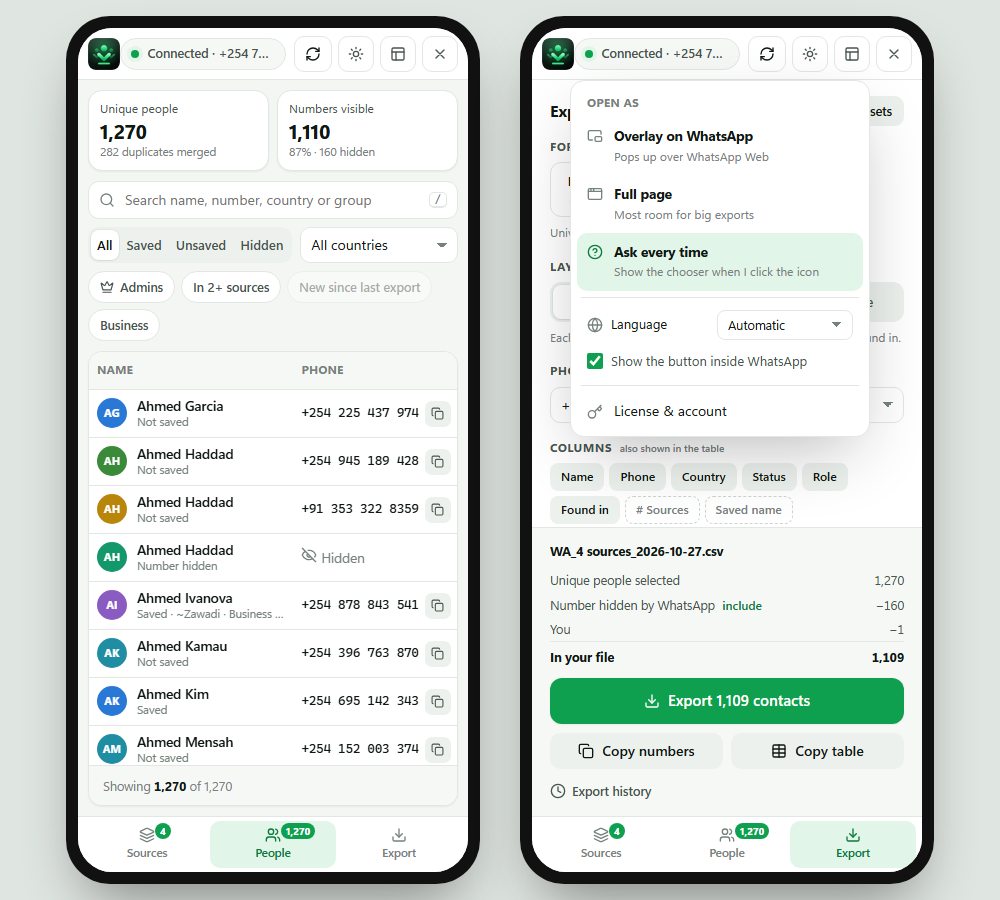
On iPad, Android tablets and phones, WA Contact Studio switches to a one-handed layout with Sources, People and Export tabs. On iPhone and iPad, exports open the share sheet so you can save to Files, AirDrop or email them.
Secure checkout by Lemon Squeezy - cards, PayPal, Apple Pay & Google Pay. Your license key arrives by email; paste it into the extension. On Apple devices, WA Contact Studio is a one-time App Store purchase with Pro included.
Yes. The free plan lists all your groups, chats and labels, lets you filter and preview everything, and exports up to 100 contacts at a time to CSV or vCard. Pro removes the limit and adds Excel, Google Sheets, group tracking, exclusion lists and presets.
No. WA Contact Studio reads the data WhatsApp Web already keeps in your browser and creates the file on your device. There's no account and no server receiving your data. Only if you choose Google Sheets are contacts sent - directly to your own Google account.
Install WA Contact Studio, open WhatsApp Web, click the extension icon, tick the groups you want and choose Excel (.xlsx). You get one de-duplicated list, or one sheet per group - with names, numbers, countries and admin roles.
WhatsApp now shows some group members only by a privacy ID instead of their number - unless they're in your contacts or have chatted with you. No tool can legitimately get those numbers. We label them as "Number hidden" rather than exporting fake numbers, which many other extractors do.
Google Chrome (and Chromium browsers like Brave, Vivaldi and Arc), Microsoft Edge, Firefox, Opera and Safari on Mac, iPad and iPhone. It also runs in Firefox and Edge for Android where those browsers support extensions.
WhatsApp Web is built for computers and tablets. On iPad it works in Safari as normal. On phones, WhatsApp Web only opens with the browser's desktop-site setting, so a tablet or computer gives the best experience.
Yes. WA Contact Studio lists every group in your chat list. Groups whose member lists WhatsApp hasn't synced yet are marked, and Pro's Load all button fetches them one at a time.
That happens when Excel opens a CSV file and treats long numbers as numbers. Export as Excel (.xlsx) instead - phone numbers are stored as text and stay exactly as they are.
No. WA Contact Studio is an independent product. It is not affiliated with, endorsed by or sponsored by WhatsApp or Meta. Please use exported contacts responsibly and in line with WhatsApp's Terms of Service and data-protection laws.
Subscriptions are handled by our payment provider, Lemon Squeezy. You can cancel any time from the link in your receipt email, and Pro keeps working until the end of the period you paid for.
Run a community, a YouTube channel or a marketing agency? Get 30% of every sale you refer for 12 months. Payouts by bank or PayPal.